


Setting up payment acceptance for "MIA Business Victoriabank"
User Guide / Accepting online payments / Setting up payment acceptance for "MIA Business Victoriabank"Integration of e-Cont.md with "MIA Business VictoriaBank" allows you to submit invoices and accept "MIA Business" payments.
Accepting payments in Moldovan lei from users' current accounts in banks and payment systems of the Republic of Moldova. According to the rules of the National Bank of Moldova, payments via MIA (B2C and B2B) cannot exceed 500 000 MDL per one payment transaction. The funds will be deposited into your bank account in just 10 seconds.
General information regarding Accepting Online Payments with MIA Business.
Registration an account on e-Cont.md
Your data in e-Cont.md is encrypted and securely protected
General Connection Procedure
- 1) The e-Cont.md user must have a current account with VictoriaBank
- 2) The user signs an additional contract with VictoriaBank to connect to "MIA Business VictoriaBank" service
- 3) The user receives the necessary settings to connect to "MIA Business VictoriaBank" payment gateway
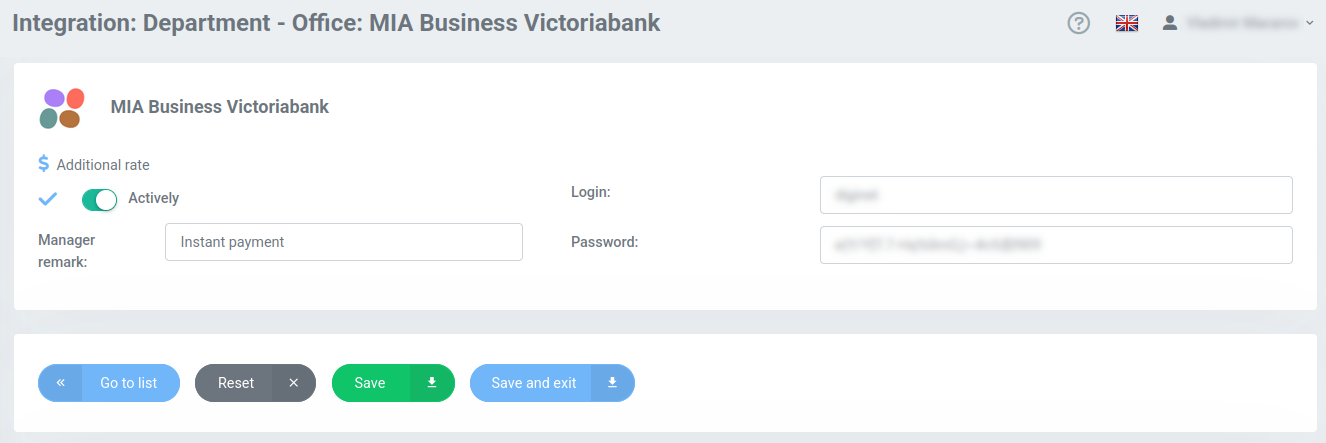
- 4) The user enters the received settings in their e-Cont.md personal account
- 5) The user begins working fully in the e-Cont.md system to issue invoices and accept online payments via "MIA Business VictoriaBank" service.
Electronic invoices will be sent to the buyer using the "Pay with MIA" payment option.
You can add "MIA Business Victoriabank" as a payment method for future invoices by going to the "Integrations > MIA Business Victoriabank" section.
On the settings page, you need to enter the "Login" and "Password" parameters provided to you by your bank to set up payment.
You also need to activate the integration and save the settings.
Attention!
- 1) You can activate this integration only after receiving permission from the e-Cont.md service.
- 2) You can enable/disable "MIA Business Victoriabank" for individual invoices using the "Payment Settings" in the lower right corner when creating or editing an invoice.
- 3) If you send an invoice with "MIA Business Victoriabank" enabled, your client will be able to click the "Pay with MIA" button directly on your invoice. This will redirect it to the National Bank's website to complete the payment.